Notice
- admin
- 02.06.2023
iPhone14 Wi-Fi Trouble Shooting Guide
Please check below processes if the iPhone could not connect to “Drive Recorder 360” dashcam.
You don’t need to check below if your iPhone has successfully connected to the dashcam.
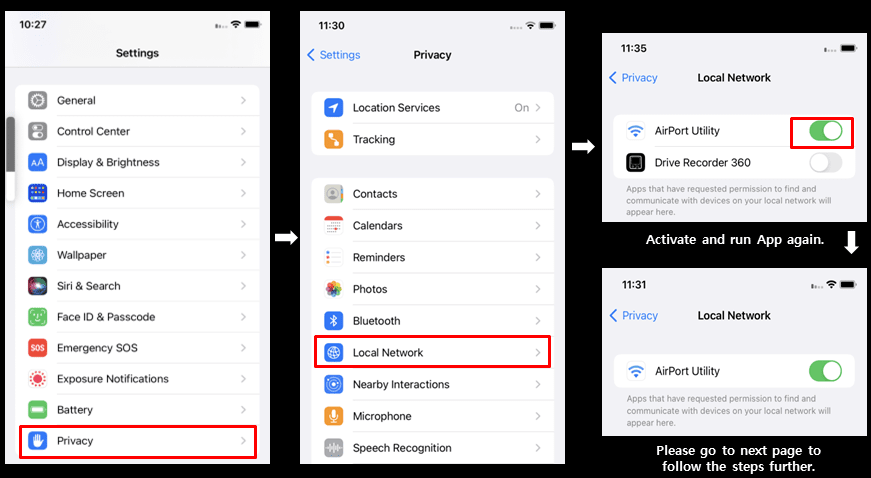
1. Please check if “Drive Recorder 360” App is listed at the Local Network setting and if it is activated.
1) If “Drive Recorder 360” App is listed but not activated, please activate the Local Network.
2) If “Drive Recorder 360” App is not listed, then please follow the steps further to the next page.
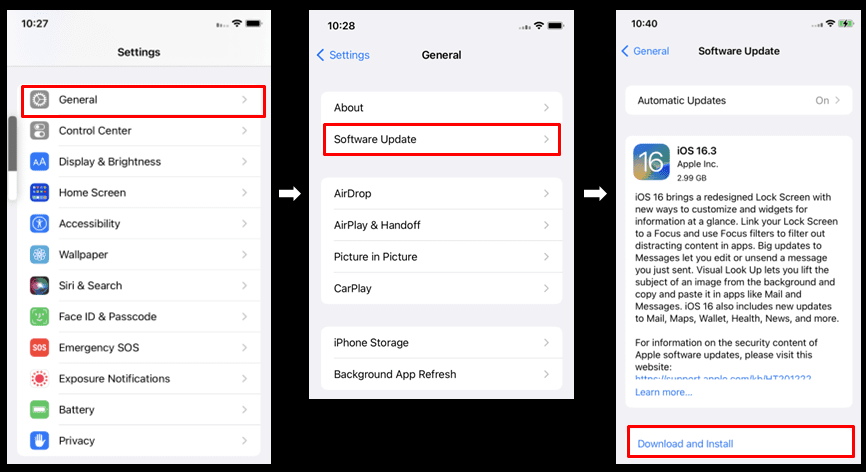
2. If the iOS version is lower, it may cause the Wi-Fi connection problem. Please check your iOS version and make it updated to the latest.
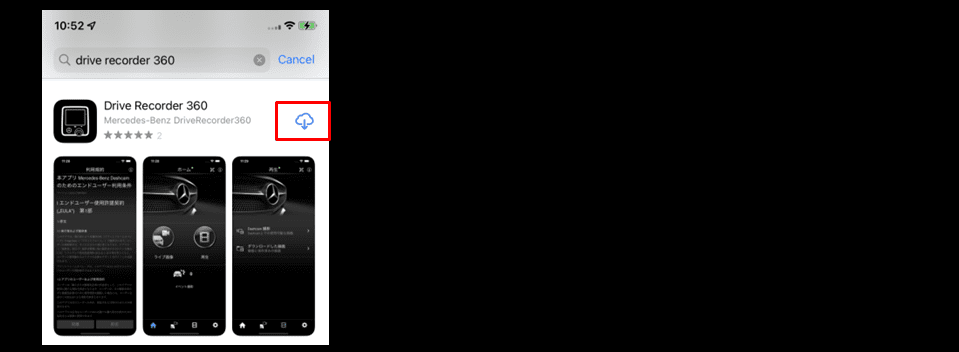
3. If you have updated the iOS version, please re-install the “Drive Recorder 360” App.
[Remove App]
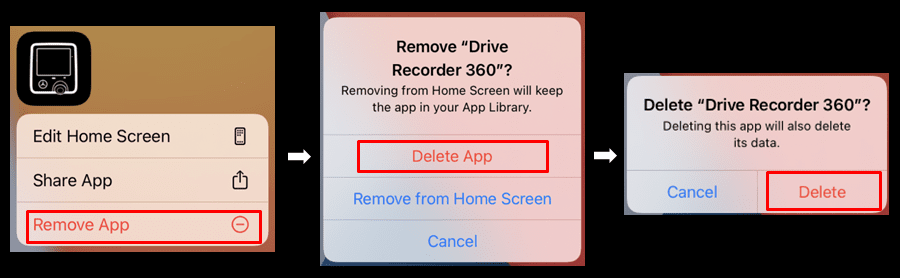
[Install App]
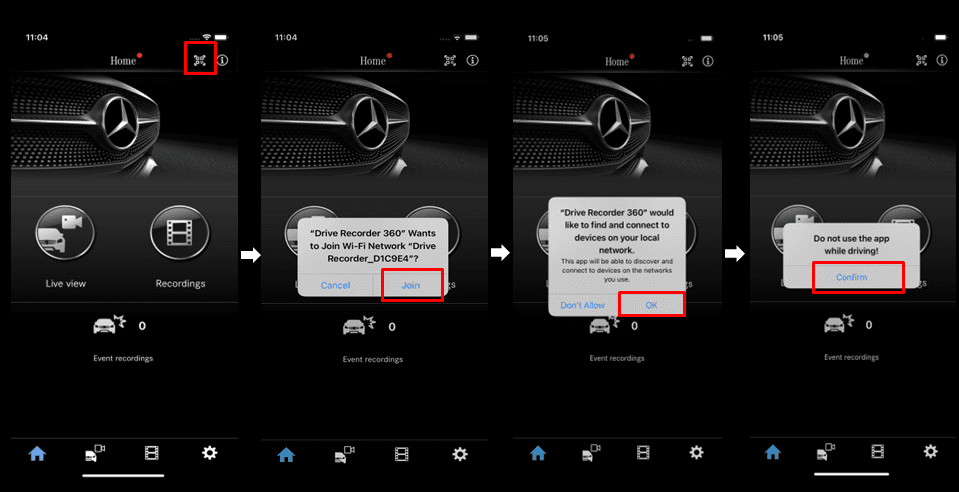
4. Please turn on QR code in the “Drive Recorder 360” dashcam and run App to scan the QR code.
Please make sure that you have to select “OK“ when you see the “Local Network Access” popup.
The connection is successful if the connection icon changed to Green.